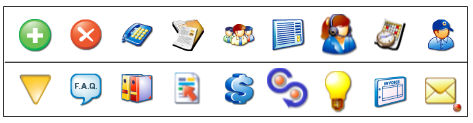
At the top of the Contacts screen are 13 buttons. They do the following:
 - Adds a new record. Use
this when you wish to add information about a new affiliate.
- Adds a new record. Use
this when you wish to add information about a new affiliate. - Parses an e-mail for
important information and adds a new affiliate. To learn about parsing
e-mails, see the Setup Help section. If you click on the RED dot, then
it will run any parsing named "AAA" so
it like a shortcut for a Parsing that you name "AAA"
- Parses an e-mail for
important information and adds a new affiliate. To learn about parsing
e-mails, see the Setup Help section. If you click on the RED dot, then
it will run any parsing named "AAA" so
it like a shortcut for a Parsing that you name "AAA"
 - Deletes the Client currently being viewed.
 - Goes to the E-mail System.
 - Enters the phone book
section.
- Enters the phone book
section. - Displays the currently
viewed affiliate's information, along with Frequently Asked Questions
you've defined. For more information on F.A.Q.'s, see the F.A.Q. help
entry.
- Displays the currently
viewed affiliate's information, along with Frequently Asked Questions
you've defined. For more information on F.A.Q.'s, see the F.A.Q. help
entry. - Enters the free
forms screen. For more information on free forms, see the Free Forms help
entry.
- Enters the free
forms screen. For more information on free forms, see the Free Forms help
entry. - Enters the Reports section.
 - Provides a way to Print/EFAX/E-mail
letters to clients, credit bureaus , creditors, etc . More information,
see the Templates System help entry.
- Provides a way to Print/EFAX/E-mail
letters to clients, credit bureaus , creditors, etc . More information,
see the Templates System help entry. - The Payment/Commission
system provides the means to control commissions owed to you or that you
owe to affiliates for example.
- The Payment/Commission
system provides the means to control commissions owed to you or that you
owe to affiliates for example. - Enters a section to Follow-Up
Documents sent to other peoples, things bought, etc.
- Enters a section to Follow-Up
Documents sent to other peoples, things bought, etc. Here you have all your company Library, Manuals, Reports,
Productivity Facts, Flyer Images, Ads Samples and much more.
Here you have all your company Library, Manuals, Reports,
Productivity Facts, Flyer Images, Ads Samples and much more. This section is to keep track of your Marketing Campaigns.
It calculates CR% (Conversion Rate Percentage) and PL% (Profit / Lost
Percentage)
This section is to keep track of your Marketing Campaigns.
It calculates CR% (Conversion Rate Percentage) and PL% (Profit / Lost
Percentage) - Enters the program's
invoicing section. For more information, see the Invoices help entry.
- Enters the program's
invoicing section. For more information, see the Invoices help entry. - Displays the Agenda.
For more information on the agenda, see the Agenda help entry.
- Displays the Agenda.
For more information on the agenda, see the Agenda help entry. - Returns to the Main Menu.
 Go to the Setup Section.