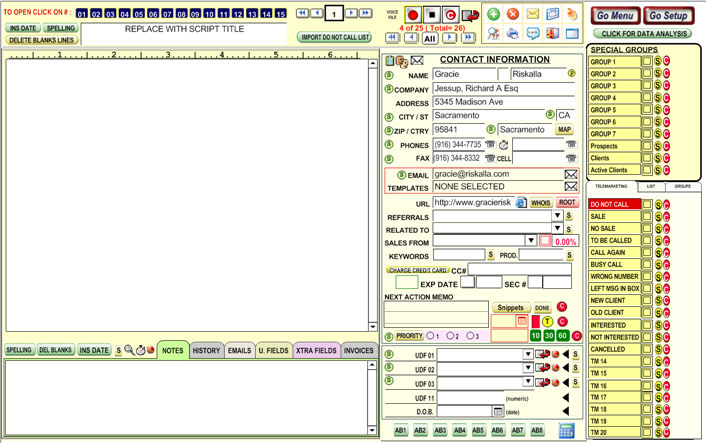
Scripts interact with the notes interface.
Basically, a script is a set of discussions,price lists, marketing scripts, or notes you can pull up for reference when speaking to an client over the phone, etc.
To view and
edit scripts, click the  button named "Telemarketing"
on the Expert Bar Mode or use the AMP (Advance Marketing Platform) and
select
button named "Telemarketing"
on the Expert Bar Mode or use the AMP (Advance Marketing Platform) and
select  .
.
You can have up to 15 pre-written scripts.
Simply click on a number and type a script, such as what you would say to a new client on script 1, what you would say to an old client on script 2, etc.
After typing a script, attempting to exit or switch scripts will prompt for a Save. To the right is shown client information for reference.